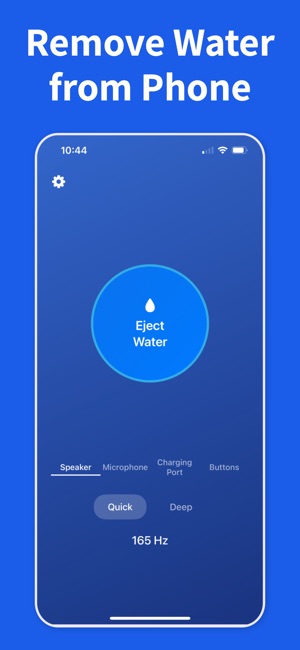
Bottom speakers, earpieces, and other small openings can hold droplets long after the outside of the phone feels dry. Begin with the opening that sounds quieter, duller, or more distorted.
02
Run one short eject cycle
Keep the phone upright, play a short water-eject cycle, and let the vibration do the work. Short repeats usually work better than one long blast.
03
Listen before you repeat
Test the same song, ringtone, or voice note between passes. Stop once the speaker sounds normal again, then let the phone finish air-drying.
Frequently asked questions
How do I get dust and lint out of my iPhone speaker?
Play a low-frequency tone to vibrate loose dust off the speaker mesh while holding the phone face-down so debris falls away, then go over the grille with a soft, dry brush if needed. Avoid pushing anything sharp into the holes — that packs debris deeper. A water-eject tone also clears any trapped water at the same time.
Why is dust making my iPhone speaker quiet?
Pocket lint and dust collect on the fine mesh covering the speaker, partially blocking sound and muffling high frequencies. Because the mesh is delicate, vibration is the safest way to shake debris loose without damaging it or pushing it deeper.
Can I use compressed air to clean my iPhone speaker?
It's risky. High-pressure air can push dust and moisture deeper into the speaker or stress the diaphragm, and Apple advises against it. A tuned vibration tone plus a soft brush is gentler and safer for clearing everyday dust and lint.
Will cleaning dust from the speaker make it louder?
If muffled or quiet sound is caused by debris on the mesh, clearing it usually restores full volume. If the speaker is still quiet after removing dust and any trapped water, check that no Bluetooth device is connected and that volume limits are off — otherwise the issue may be hardware.
Clear trapped water with Water Remover
Download the iOS app, scan the QR code, and run a water-eject cycle as soon as your speaker sounds wet.