Which speaker is wet: bottom or top?
Every iPhone from the iPhone 7 on has stereo speakers: the grille next to the charging port at the bottom, and the earpiece slot above the screen, which doubles as the second speaker. Play a song at medium volume and hold each end close to your ear in turn. The wet one sounds duller, buzzier or quieter. It matters only for draining: water runs out of whichever opening faces down, so you point that one at the floor.
Get water out of the bottom speaker
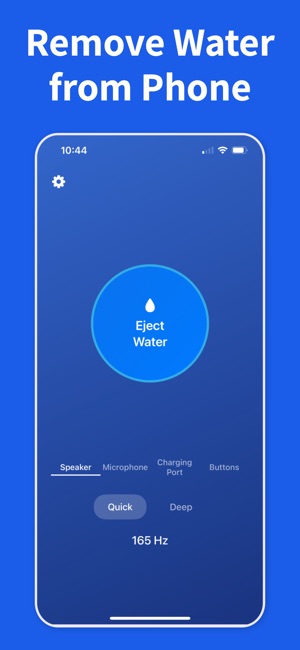
Take the case off. Hold the phone with the bottom edge pointing down and tap it gently against the heel of your hand a few times so the loose drops fall out. Then play a water eject tone at full volume for 15 to 30 seconds with the speaker still facing down. You will often see a fine spray or a bead of water at the grille. Test with the same song or a voice memo, and repeat once or twice if it still sounds wet. Short passes work better than one long blast, and the phone can finish air-drying upright afterwards.
Get water out of the top speaker (earpiece)
The earpiece is the one people notice on calls: the other person sounds muffled or crackly. Because the eject tone plays in stereo, the same cycle reaches the earpiece too, though more quietly, since the earpiece is the smaller speaker; the difference is how you hold the phone. Turn it so the top edge points down, tap it against your palm, then run the tone with the top edge still facing down so the drops have somewhere to go. Make a test call or play a voice memo with the phone at your ear to check. Don't press anything into the earpiece slot to wick the water out.
Microphone sounds muffled after water
If people say you sound distant or underwater, water is in one of the microphone openings. Be realistic about sound here: a microphone has no speaker cone, so an eject tone cannot push water out of it the way it does from a speaker. Vibration may shake a drop loose from the bottom openings, but mostly the mic needs to dry. Apple's advice is to remove the case and any screen protector, then gently brush the openings with a small, soft, dry brush, and test with Voice Memos. Water Remover's Microphone Check records your voice and measures the level, so you can see when the mic has recovered instead of guessing.
Why the sound works, and what it cannot do
A low tone around 165 Hz makes the speaker diaphragm move further than music does, and that movement pushes water back out through the mesh. It is the same principle Apple uses for Water Lock on Apple Watch. It works best on a speaker and at most shakes loose drops from the openings near it: it does not dry the charging port, the inside of the phone, the camera or the buttons, and it cannot undo corrosion. For the port, see <a href="/remove-water-from-iphone-charging-port/">removing water from the charging port</a>; for a full dunk, start with <a href="/phone-dropped-in-water/">what to do when a phone is dropped in water</a>.
When to stop and get it checked
Fresh water that is cleared quickly rarely does lasting harm. If the speaker is still muffled after a full day of drying and a few eject passes, if it crackles or distorts at every volume, or if the phone went into salt water, a pool or a drink, the speaker contacts may be corroded and the module may need replacing. Liquid damage is not covered by Apple's standard warranty; AppleCare+ covers accidental damage for a service fee, so check your coverage first.