What the water eject shortcut is and where it comes from
The "Water Eject" shortcut is a community-made Siri Shortcut, not an Apple feature. When you run it, it raises the media volume, plays a low-frequency tone for a set number of seconds and stops. The tone makes the speaker membrane move far enough that droplets sitting behind the mesh are thrown out, the same physics Apple Watch uses for Water Lock. Copies circulate on RoutineHub, Reddit and iCloud links; they differ in tone length, in whether they let you pick an intensity, and in whether they were updated for the current iOS. iPhone itself still has no water eject setting anywhere in Settings or Control Center.
How to add and run the shortcut on iPhone
Make sure the Shortcuts app is installed (it is preloaded; reinstall it from the App Store if you deleted it). Open the shortcut's iCloud link in Safari and tap Add Shortcut; since iOS 15 there is no "Allow Untrusted Shortcuts" switch to flip. Before running it: disconnect AirPods, CarPlay and any Bluetooth speaker so the audio actually comes out of the phone, turn off silent mode, set the volume to at least three quarters, and hold the phone upright or with the bottom speaker facing down. Then run it from the Shortcuts app, from Siri ("water eject") or from a Home Screen icon and let the whole cycle finish before you test the sound.
How many cycles it takes and how to tell it worked
One cycle is 15 to 30 seconds of tone. After it ends, play a voice memo or a song at half volume and listen: clear sound means the grille is clear; muffled or crackly sound means water is still behind the mesh. Two to four passes clear most sink, pool and rain spills, with a minute of air-drying between passes and the speaker facing down so gravity helps. Beads of water appearing on the grille after a pass are a good sign. If five passes leave the sound flat, stop playing tones and let the phone dry upright for a few hours before you try again.
When the shortcut does nothing and why
Almost every "it doesn't work" report has one of four causes. The phone is still paired to AirPods, a car or a speaker, so the tone never plays through the wet speaker. The media volume is near zero (the shortcut raises it, but some versions skip that step). The shared link was deleted or the shortcut was built for an older iOS and now fails at the volume step. Or the water is not in the bottom speaker at all but in the charging port, which a tone cannot dry, or in the earpiece, which plays the tone more quietly and drains best with the top edge facing down. Check the output device first, then the volume, then run it again with the phone in the right orientation.
Skip the setup: the same tone in an app
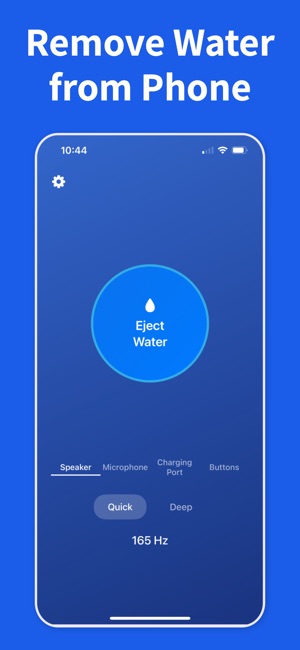
If you do not want to hunt for a working link, Water Remover does the same job in one tap: tuned eject tones, a volume check before each tone, and separate modes for the speaker, the microphone and the charging port. It runs on iPhone and, unlike a Siri Shortcut, also on Android. Either way the physics are identical, so pick whichever you will actually reach for when the phone comes out of the sink.
Safety while the phone dries
Do not charge until the port is dry (iPhone shows a liquid-detected alert for a reason), do not push cotton swabs, paper or compressed air into the speaker, and skip the bag of rice: it does nothing for a speaker and leaves starch dust in the grille. Short eject cycles with air-drying in between are enough for most spills. If sound is still distorted a day later, the speaker membrane or the port may need a repair rather than more tones.