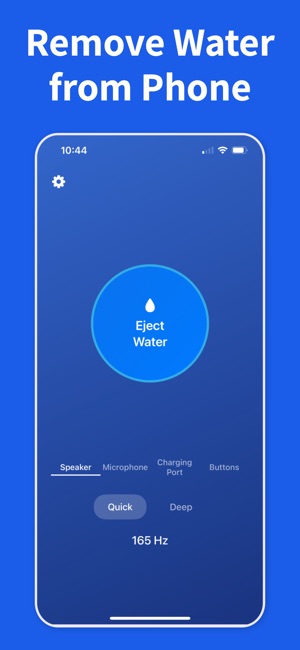
Bottom speakers, earpieces, and other small openings can hold droplets long after the outside of the phone feels dry. Begin with the opening that sounds quieter, duller, or more distorted.
02
Run one short eject cycle
Keep the phone upright, play a short water-eject cycle, and let the vibration do the work. Short repeats usually work better than one long blast.
03
Listen before you repeat
Test the same song, ringtone, or voice note between passes. Stop once the speaker sounds normal again, then let the phone finish air-drying.
Frequently asked questions
Does the water eject sound actually work on iPhone?
Yes. A low-frequency tone around 165 Hz vibrates the speaker diaphragm hard enough to push trapped water droplets out through the speaker mesh. It's the same principle Apple uses in Apple Watch Water Lock. iPhone has no built-in equivalent, which is why an app or shortcut is needed. Run short cycles and re-test audio between passes.
What frequency pushes water out of an iPhone speaker?
Most effective tones sit between 150 Hz and 200 Hz, with 165 Hz being the sweet spot reproduced reliably by iPhone bottom speakers. Those low frequencies create maximum cone excursion, which mechanically expels water. High frequencies barely move the diaphragm and do little. Water Remover plays pre-tuned tones in this range so you don't have to guess.
Is there a built-in water eject feature on iPhone?
No. Apple Watch has Water Lock — turn the Digital Crown to eject — but iPhone does not ship with a water-eject mode as of iOS 18. The closest options are a third-party Water Remover app or a user-installed water eject shortcut. Both work the same way.
Can playing the water eject tone damage my iPhone speaker?
No, not at normal volume. The tone stays within the speaker's designed frequency range. Continuously running it at maximum volume for many minutes while water is still inside can stress the diaphragm, so use short cycles of 15–30 seconds and stop once audio clears. The tone itself is not harmful.
How many times should I run the water eject sound?
Run one short cycle, then play a song or voice note and listen. If audio still sounds muffled, run another. Two to four passes usually clears a wet speaker. If it's still muffled after five passes, let the phone air-dry upright for several hours before trying again — remaining moisture may be deeper in the housing.
Clear trapped water with Water Remover
Download the iOS app, scan the QR code, and run a water-eject cycle as soon as your speaker sounds wet.