Find the wet speaker grille on your iPad
Every current iPad has more than one speaker, and where they sit depends on the model. On iPads with landscape stereo, the grilles run along both short edges, the top and bottom when you hold it upright, and iPad Pro spreads four speakers across those two edges. Many older iPads with a Home button keep their grilles on the bottom edge, either side of the charging port. Play a podcast or a video with steady speech and hold each edge near your ear in turn. The wet grille sounds thin, buzzy or quieter than the rest, and in landscape one side will sound dull while the other is clear. That edge is the one you point at the floor in every step below.
Drain the speaker edge first
Take the iPad out of its case, folio or keyboard, because a cover holds water against the grilles and the connectors. Wipe the screen and frame with a soft, lint-free cloth. Then hold the iPad firmly in both hands with the wet edge pointing straight down and tap that edge gently against the heel of your hand several times; drops sitting in the grille fall out at this stage. An iPad is large and its glass cracks easily, so tap softly over a bed or a towel, never against a table edge. Don't swing or shake it hard, don't blow into the grille, and don't push a cotton swab, tissue or toothpick into the holes, which drives water deeper and leaves fibers behind.
Play a water eject tone on iPad
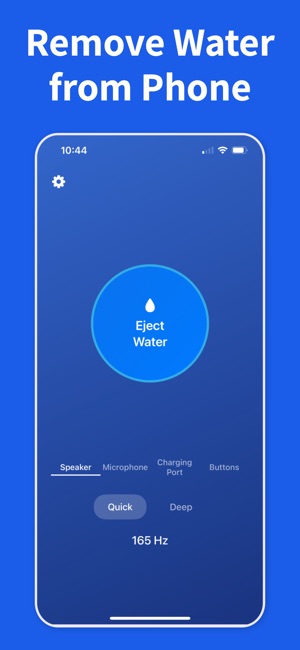
Disconnect AirPods and any Bluetooth speaker so the sound comes out of the iPad, turn the volume up to at least 70%, and keep the wet edge facing down. Water Remover runs on iPad with iPadOS 17 or later and will show Volume Too Low rather than start below that level. Choose the Speaker target: Quick plays a fixed 165 Hz tone for 5 seconds, while Deep sweeps from 100 to 800 Hz over 15 seconds and suits a grille that still sounds wet after a Quick pass. Stay in the app until the tone finishes, because it stops if you switch away, if the audio output changes or if a call comes in. Test with the same podcast or video between passes and stop once voices sound clear.
Why iPad can take more passes than iPhone
On an iPhone, the app runs the vibration motor for the whole tone, so the body shakes while the speaker pushes. iPad has no vibration motor, so only the speaker membrane moves, and it can therefore take more passes than on a phone. Leave half a minute between them with the wet edge down so loosened drops can run out. If grilles on both edges sound dull, run the tone with one edge down, then turn the iPad over and repeat for the other. Three or four passes that change nothing mean what is left is not loose water in the grille, and more sound won't help. Drying time will.
Spills, keyboards and charging
Because most iPads carry no water-resistance rating, a spill can reach the inside far more easily than on a recent iPhone, so the speaker is not the main worry. Unplug the iPad and switch it off, then leave it in a room with some airflow at normal temperature, wet edge down or standing upright. Don't charge it, and don't reconnect a keyboard or Apple Pencil, until the port and the connectors are completely dry; after a real spill, a full day is a sensible wait. Sticky drinks leave residue: wipe it off the outside with a slightly damp, lint-free cloth and keep that moisture out of the openings. Unlike a water-resistant iPhone, an iPad should never be rinsed under the tap, and rice, hair dryers, radiators and compressed air are all out.
When to stop and book a repair
A speaker that sounds normal after a few passes and a few hours of drying is usually fine. Get the iPad checked if it won't power on or charge after a full day of drying, if the screen shows spots, lines or a cloudy patch, if a speaker still crackles or distorts at every volume, or if the spill was salt water, pool water or a drink and the sound never recovers. Those signs mean liquid reached the logic board or the speaker modules, and corrosion keeps working after the outside looks dry. Liquid damage is not covered by Apple's standard warranty; AppleCare+ for iPad covers accidental damage for a service fee, so check your coverage before you book.