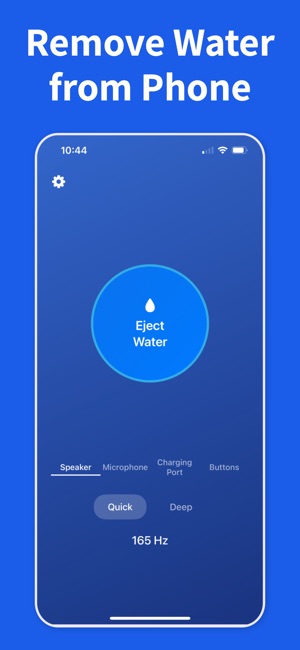
Bottom speakers, earpieces, and other small openings can hold droplets long after the outside of the phone feels dry. Begin with the opening that sounds quieter, duller, or more distorted.
02
Run one short eject cycle
Keep the phone upright, play a short water-eject cycle, and let the vibration do the work. Short repeats usually work better than one long blast.
03
Listen before you repeat
Test the same song, ringtone, or voice note between passes. Stop once the speaker sounds normal again, then let the phone finish air-drying.
Frequently asked questions
How does an app clean my iPhone speaker?
Water Remover plays low-frequency tones (around 165 Hz) that vibrate the speaker diaphragm, pushing out trapped water and shaking loose dust and lint from behind the speaker mesh. It's the same acoustic principle Apple Watch uses for Water Lock. Run a short cycle, then test audio — most speakers sound clearer after one or two passes. For the tones themselves, see the water eject sound.
Can a sound really remove dust and debris from the speaker?
Vibration helps dislodge loose dust and lint sitting on the speaker mesh so it can fall out when you hold the phone face-down. It won't dissolve sticky grime, but for the everyday dust and pocket lint that muffles sound, a tuned tone plus gentle tapping clears most of it — without poking anything into the grille. For a debris-focused routine, see cleaning dust from the speaker.
Is it safe to clean my iPhone speaker with Water Remover?
Yes. The tones stay within the speaker's designed frequency range and volume, so there's no risk at sensible levels. Avoid running at maximum volume for many minutes while water is still inside. Never insert pins, brushes, or compressed air into the speaker — the app cleans acoustically, with no physical contact.
Why does my iPhone speaker sound muffled or quiet?
The usual causes are trapped water after a splash, or dust and lint clogging the speaker mesh over time. Both dampen the diaphragm and cut high frequencies. Clearing water with a water-eject tone, or shaking loose dust with vibration, usually restores normal volume. If it stays muffled after cleaning and drying, the speaker hardware may need service.
Clear trapped water with Water Remover
Download the iOS app, scan the QR code, and run a water-eject cycle as soon as your speaker sounds wet.