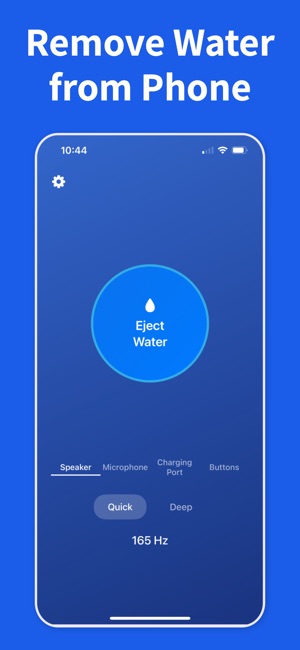
When you are dealing with how to remove water from iPhone, the safest path is simple: stop charging, dry the outside, then clear the speaker before you assume the phone needs repair.
If the phone shows a liquid alert, leave the cable out and give the port time to dry naturally. Charging wet hardware can turn a small problem into a larger one.
02
Dry the outside, then clear the speaker
Wipe off visible water, let extra droplets fall away, and use Water Remover to push moisture out of the speaker opening. That often fixes muffled sound even when the phone itself is water-resistant.
03
Escalate only if the symptoms stay
If distortion, alerts, or silence remain after drying and repeated speaker-clearing cycles, give the phone more rest and move to professional support only if the problem does not improve.
Frequently asked questions
What's the first thing to do when my iPhone gets wet?
Unplug any cable, power it off if you can do so quickly, and wipe the outside dry with a lint-free cloth. Hold the phone upright and gently tap it against your palm, speaker side down, to drain the largest droplets. Then run a water-eject tone to clear what's stuck in the speaker grille, and let the phone air-dry upright for several hours.
Should I put my wet iPhone in rice?
No. Apple explicitly warns against rice — it doesn't absorb moisture effectively and rice dust can get into the ports and cause further damage. Air-drying in a ventilated spot works better. If you want active drying, use silica gel packets, not rice.
How long does it take for an iPhone to dry out?
Apple recommends at least 5 hours of air-drying before charging, and up to 24 hours before the device is fully dry internally. Speaker grilles usually clear within an hour once you run a water-eject tone, but deeper moisture around the logic board and connectors takes longer and can't be seen from outside.
Can I use a hair dryer to dry my iPhone?
No. Heat from a hair dryer can warp the waterproof adhesive seals, damage the battery, and push water deeper into the phone. Compressed air is also risky for the same reason. Stick to air-drying with the phone upright, and use a water-eject tone for the speaker.
How do I know if my iPhone has water damage?
Every iPhone has a Liquid Contact Indicator (LCI) that turns red when exposed to water. On recent models it sits inside the SIM tray slot — shine a flashlight in and look. A red LCI voids standard warranty coverage for liquid damage. Behavioral signs include muffled speakers, dead charging, or a persistent "liquid detected" alert.
Start the safe recovery steps now
Download Water Remover on iOS and use it as soon as your speaker sounds wet after a splash, rain shower, or a full drop in water.