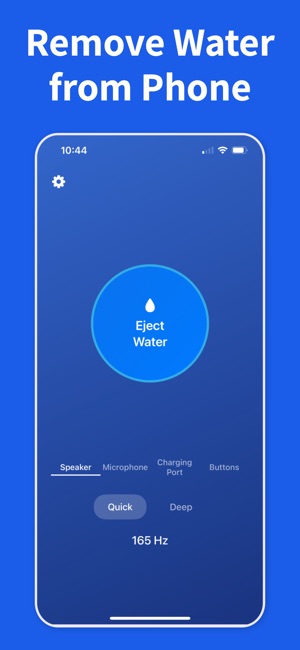
When you are dealing with remove water from iPhone charging port, the safest path is simple: stop charging, dry the outside, then clear the speaker before you assume the phone needs repair.
If the phone shows a liquid alert, leave the cable out and give the port time to dry naturally. Charging wet hardware can turn a small problem into a larger one.
02
Dry the outside, then clear the speaker
Wipe off visible water, let extra droplets fall away, and use Water Remover to push moisture out of the speaker opening. That often fixes muffled sound even when the phone itself is water-resistant.
03
Escalate only if the symptoms stay
If distortion, alerts, or silence remain after drying and repeated speaker-clearing cycles, give the phone more rest and move to professional support only if the problem does not improve.
Frequently asked questions
"Liquid detected in connector" appeared — what do I do?
Unplug the cable immediately and do not charge again until the port is dry. Tap the phone gently against your palm with the port facing down to drain droplets. Then leave the phone upright in a ventilated, dry place for at least 5 hours. If you need power sooner, use wireless charging — it bypasses the wet port entirely.
How long should I wait before charging after the liquid alert?
Apple recommends at least 5 hours of air-drying before reconnecting a Lightning or USB-C cable. Up to 24 hours is safer if the phone was fully submerged. Charging while wet can corrode the connector pins or short out the charging circuit. Wireless charging is safe to use in the meantime.
Can I dismiss the liquid detected warning and charge anyway?
iOS offers an "Emergency Override" option, but you should only use it if you truly need to charge and understand the risk. Charging a wet port can cause pin corrosion, fast-charge failure, or circuit damage that isn't reversible. Use wireless charging instead if possible, or wait until the port is fully dry.
How do I dry the charging port safely?
Hold the phone upright with the port facing down and tap gently against your palm. Let it air-dry in a ventilated spot. Do not insert cotton swabs, paper towels, or compressed air — they can push moisture or debris deeper into the pins. Do not use a hair dryer; heat damages the waterproof seals.
Why does "liquid detected" keep appearing even after the port looks dry?
Moisture can linger in the tiny gaps between the connector pins long after the outside looks dry. The sensor is very sensitive. If the alert persists after 24 hours of air-drying, the sensor may be faulty or debris may be holding moisture — Apple Support can diagnose it. In the meantime, wireless charging is fine.
What does the 'Liquid Detected in Connector' alert mean?
It means the iPhone charging-port sensor detects moisture, so charging is paused to protect the pins from corrosion. Don't override it or force-charge with a cable. Disconnect, hold the port downward, let it air-dry, and play a water-eject tone to shake droplets from the nearby speaker. The alert clears on its own once the port is dry; wireless charging still works in the meantime.
Start the safe recovery steps now
Download Water Remover on iOS and use it as soon as your speaker sounds wet after a splash, rain shower, or a full drop in water.