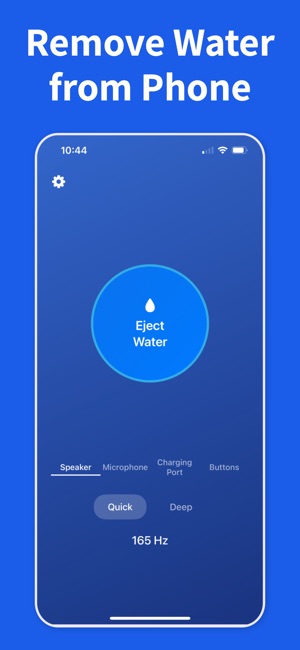
When you are dealing with fix muffled iPhone speaker after water, the safest path is simple: stop charging, dry the outside, then clear the speaker before you assume the phone needs repair.
If the phone shows a liquid alert, leave the cable out and give the port time to dry naturally. Charging wet hardware can turn a small problem into a larger one.
02
Dry the outside, then clear the speaker
Wipe off visible water, let extra droplets fall away, and use Water Remover to push moisture out of the speaker opening. That often fixes muffled sound even when the phone itself is water-resistant.
03
Escalate only if the symptoms stay
If distortion, alerts, or silence remain after drying and repeated speaker-clearing cycles, give the phone more rest and move to professional support only if the problem does not improve.
Frequently asked questions
Why is my iPhone speaker muffled after water exposure?
Water droplets trapped behind the speaker mesh dampen the diaphragm's movement, cutting high frequencies and making audio sound boxed-in or quiet. The speaker itself isn't broken — it's mechanically loaded with liquid. Once water clears, the original sound returns. A tuned water-eject tone is the fastest way to expel it.
How long before my muffled speaker clears up?
With a water-eject tone, most speakers clear in under a minute across one to three short cycles. Without intervention, it can take several hours to a full day of air-drying. If the speaker is still muffled after 24 hours plus multiple tone cycles, deeper moisture or corrosion may be involved.
Will a muffled iPhone speaker fix itself over time?
Often yes, if the exposure was brief and the water was clean. Moisture evaporates over several hours to a day. But passive drying can leave residue that lingers longer and may leave the speaker slightly distorted. Actively expelling the water with a low-frequency tone is faster and leaves less residue behind.
Can I fix a muffled iPhone speaker at home?
Yes, for water-induced muffling. Run a water-eject tone through the speaker while holding the phone upright, speaker down. Repeat in short cycles until audio clears. If the speaker is still muffled after full drying and multiple tone cycles, the issue may be hardware-level and require service.
When should I take my iPhone to Apple Support?
If the speaker is still muffled after 24 hours of air-drying and several water-eject cycles, or if you notice distortion, crackling, or dead audio at any volume, book a Genius Bar appointment. Also go in immediately if the liquid contact indicator is red and you have AppleCare+, since coverage terms depend on timing.
Start the safe recovery steps now
Download Water Remover on iOS and use it as soon as your speaker sounds wet after a splash, rain shower, or a full drop in water.