The first five minutes
Get the phone out, unplug any cable and take off the case. If you can switch it off quickly, do; if it is unresponsive, don't fight it. Wipe the outside with a lint-free cloth, then hold it with the charging port facing down and tap it gently against your hand to let the liquid run out of the openings. Keep the SIM tray closed until everything is dry. Stand it somewhere dry with moving air, port facing down or upright. Don't charge it to see whether it still works: current across wet connector pins is what turns a wet phone into a corroded one.
Why not rice
Apple says it plainly: don't put your iPhone in a bag of rice, because small particles of rice could damage it. Rice also does not pull water out of a sealed phone any faster than open air does; it just hides the phone in a closed bag where the air cannot move. Airflow is what dries a phone. Apple's own suggestion is a fan blowing cool air directly into the charging port. Never use a hair dryer, a radiator or an oven, and never push cotton swabs or paper towel into the port or the speaker.
Toilet, pool, sea or a spilled drink
Water resistance ratings are tested with fresh water. Salt water, chlorinated pool water, soapy water and sugary drinks leave residue as they dry, and residue is what corrodes contacts and makes buttons sticky. Apple's guidance is to rinse the affected area with tap water when the liquid was not plain water, then dry it exactly as above. If it went into the toilet, wipe it down with a disinfecting wipe on the outside only once it is dry, and keep liquid out of the openings.
How long to wait before charging
Apple's advice is to wait at least 5 hours before charging with a cable after a phone has been in liquid. If iPhone shows a liquid detected alert when you plug in, unplug and try again after at least 30 minutes, and leave it in a dry spot with airflow for up to a day if the alert keeps coming back. Wireless charging is the safer way to get power in the meantime. The port has its own guide: <a href="/remove-water-from-iphone-charging-port/">removing water from the iPhone charging port</a>.
Speaker muffled afterwards
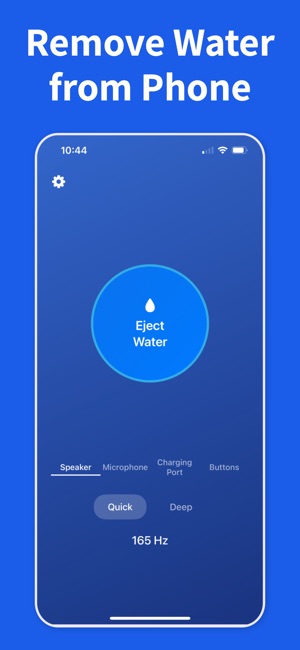
If the phone works but sounds muffled, quiet or crackly, water is trapped behind the speaker mesh. That is the one place where sound helps more than waiting: a low water eject tone pushes the drops out in under a minute. Run short passes with the speaker facing down and test between them; the full method, including the top earpiece speaker and a muffled microphone, is in <a href="/get-water-out-iphone-speaker/">getting water out of the iPhone speaker</a>.
Camera foggy after water
Fog or droplets inside the camera lens mean moisture got past a seal and is condensing on the inside of the glass. There is nothing to wipe and nothing a sound can shake out; it needs to evaporate. Keep the phone in a dry room with airflow, out of the sun and away from heat, and give it a day or two. If the fog clears and stays gone, you are fine. If it never clears, or comes back every time the phone warms up, the lens seal is compromised and it is a repair.
Buttons sticky or not responding
iPhone buttons are sealed, so water rarely sits behind them; a sticky, mushy or unresponsive button after a dunk is usually residue from salt, chlorine or a drink. Rinse with tap water as above, dry it fully, and press the button a few times once it is dry. If it is still stuck or dead after 24 hours, that is corrosion or a damaged switch, and it needs service. No app or sound can fix a button.
When to get it checked
Book a repair if the phone will not power on or charge after a full day of drying, if the liquid alert never clears, if the camera stays fogged, or if the speaker still distorts after drying and a few eject passes. Liquid damage is not covered by Apple's standard warranty; AppleCare+ covers accidental damage, including liquid, for a service fee, so check your coverage before you book.