AirPods got wet: the first five minutes
Take both earbuds out of the water and out of the charging case, and do not put them back in or charge the case. Wipe each bud with a soft, dry, lint-free cloth, then lay them on a dry towel with the speaker mesh facing down so gravity works with you. If the sound was muffled before you even took them out, that is water sitting behind the mesh; it is the part a water eject sound can help with. Everything else is time in dry air: Apple says to let AirPods dry for at least two hours before you use them, and after a full dunk it is worth leaving them longer.
Does a water eject sound work on AirPods?
Yes, as long as they are out of your ears. An AirPods driver is a tiny speaker, and a low tone makes its diaphragm move far enough to push droplets back out through the mesh, the same principle Apple uses for Water Lock on Apple Watch. AirPods have no built-in water eject mode of their own, so the tone has to come from your iPhone. What the sound cannot do is dry the inside of the earbud or the charging contacts; that still takes air and time. And it must never play while the buds are in your ears: a loud low tone at that distance is not safe for hearing.
How to play the water eject sound through AirPods
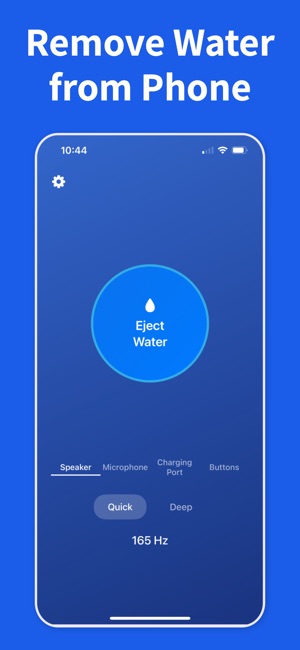
In Water Remover, choose the AirPods mode. Connect your AirPods, take both out of your ears and out of the case, and turn off Automatic Ear Detection (Settings > Bluetooth > the info button next to your AirPods); otherwise iOS sends the sound back to the iPhone speaker the moment the buds leave your ears. Lay them on a flat surface with the mesh facing down, pick Left, Both or Right, confirm they are out of your ears and start. The AirPods mode plays a 165 Hz tone softer than the phone mode and fades in slowly, because earbud drivers are much smaller than a phone speaker. Run one short pass, wait, and repeat once or twice rather than running it for minutes.
AirPods went through the washing machine (or the dryer)
This is the most common way AirPods meet water, and many of them keep working. Treat it like a full submersion: wipe them, leave them out of the case, and give them much longer than two hours, a full day is reasonable, because water and detergent have been pushed in under spin. If the sound stays dull after they are dry, soap film on the mesh is the usual cause; brush the mesh gently with a soft, dry brush. A trip through a hot dryer is harder on the battery and seals than the wash itself. If an earbud will not charge, stays silent or crackles after a full day of drying, contact Apple; liquid damage is not covered by the standard warranty, so check whether you have AppleCare+.
Water in the AirPods charging case
Open the lid, hold the case with the opening facing down to let water run out, and wipe what you can reach with a lint-free cloth. Leave it open in dry air until it is completely dry before you put the earbuds back or connect a charger; charging a wet case is how the contacts corrode. A water eject sound does nothing for the case: some newer cases have a small speaker for Find My alerts, but the AirPods mode plays through the earbuds, not the case, so this part is purely drying. Note that the MagSafe and Wireless Charging Cases for the first AirPods Pro are not water resistant at all; later cases carry the same rating as their earbuds.
Which AirPods are water resistant?
Apple's ratings: AirPods Pro (1st generation), AirPods Pro 2 with the Lightning case and AirPods (3rd generation) are IPX4, sweat and splash resistant. AirPods Pro 2 with the USB-C case and AirPods 4 are IP54, which adds dust resistance. AirPods Pro 3 and AirPods 5 are IP57, rated for up to 1 meter for 30 minutes. The ratings describe accidental exposure, not swimming or the shower, and Apple notes that sweat, water and dust resistance can diminish over time, so an older pair is less protected than its rating suggests.